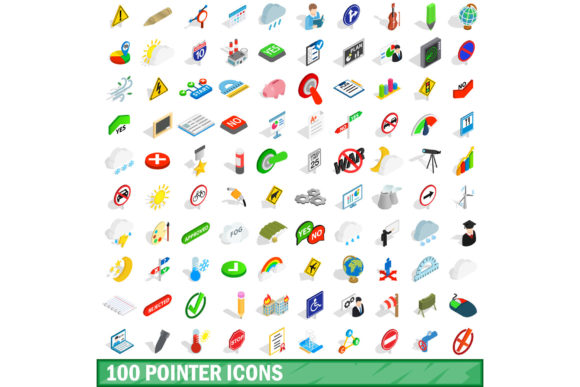
Enhancing User Experience with the 100 Pointer Icons Set
In the rapidly evolving landscape of digital design, user experience (UX) is paramount. Every interaction a user has with a website or application must be intuitive, clear, and engaging. One of the most fundamental elements of interface design is the cursor—the visual indicator that guides users through their journey. A well-designed pointer can subtly direct attention, confirm actions, and create a sense of polish and professionalism. This is where the 100 Pointer Icons Set becomes an invaluable asset for designers, developers, and creative professionals seeking to elevate their projects.
The 100 Pointer Icons Set offers a comprehensive collection of cursor designs tailored for modern vector illustration needs. Whether you are building a complex web platform, designing a mobile app interface, or creating static graphics, having a versatile library of pointers ensures consistency and clarity. This article explores how this specific icon set addresses common design challenges, supports various user needs, and provides practical solutions for implementing effective visual cues in your projects.
Understanding the Need for Diverse Pointer Designs
At first glance, a mouse cursor might seem like a minor detail. However, its role in communication cannot be overstated. Standard system cursors—such as the default arrow or the loading spinner—are functional but often lack character and specificity. In custom interfaces, relying solely on default cursors can lead to confusion or a disjointed user experience. For instance, when a user hovers over a clickable element, they expect immediate feedback. If the cursor does not change appropriately, the user may hesitate, unsure if the element is interactive.
Designers frequently face the challenge of creating custom cursors that align with their brand identity while maintaining usability. This requires a balance between aesthetic appeal and functional clarity. The 100 Pointer Icons Set was developed to meet these exact needs. By providing a wide array of options, it allows designers to select the perfect pointer for any context, ensuring that every interaction feels intentional and polished.
Key Features of the 100 Pointer Icons Set
What makes the 100 Pointer Icons Set stand out in a crowded market of design resources? Its versatility and technical compatibility are key factors. The set is designed to integrate seamlessly into various design workflows, supporting multiple file formats including JPG, EPS, AI, PSD, and PNG. This multi-format support ensures that whether you are working in Adobe Illustrator, Photoshop, or another vector-based application, you have access to high-quality assets.
- Isometric 3D Style: Many icons in the set feature an isometric 3D style, adding depth and dimension to flat interfaces. This trend is particularly popular in modern web design, as it creates a more immersive and tactile feel without overwhelming the user.
- Comprehensive Variety: With 100 distinct pointers, the set covers a broad spectrum of use cases. From standard navigation arrows to specialized icons for dragging, selecting, and hovering, there is likely a pointer for every conceivable interaction.
- Vector Scalability: As vector files, these icons can be scaled to any size without loss of quality. This is crucial for responsive design, where cursors must remain crisp on everything from small mobile screens to large desktop monitors.
Solving Common Design Challenges
One of the primary goals of any designer is to reduce cognitive load for the user. When users encounter unfamiliar interfaces, they rely on visual cues to understand how to proceed. A mismatched or missing cursor can increase friction, leading to frustration and potential abandonment of the site. The 100 Pointer Icons Set helps mitigate these issues by providing clear, recognizable symbols that communicate function effectively.
Consider the scenario of an e-commerce website. When a user hovers over a product image, they want to know that they can click to view details. A simple hand icon or a magnifying glass can signal this interactivity instantly. Without such cues, users might miss opportunities to engage with products, negatively impacting conversion rates. By integrating appropriate pointers from the set, designers can guide users toward desired actions more effectively.
Another common challenge is maintaining brand consistency across different platforms. A company’s branding guidelines often extend beyond logos and color palettes to include micro-interactions. Custom cursors can serve as a subtle yet powerful branding tool. The 100 Pointer Icons Set allows brands to customize their pointers to match their visual language, reinforcing identity at every touchpoint.
Practical Applications and Outcomes
The applications of the 100 Pointer Icons Set are vast and varied. Here are some practical examples of how designers and developers can utilize these assets to improve their projects:
- Web Interfaces: Enhance navigation menus, buttons, and links with custom hover states. Use isometric pointers to add a playful or sophisticated touch depending on the brand tone.
- Mobile App Prototypes: While touch devices do not use traditional cursors, prototypes often simulate cursor interactions for stakeholder presentations. High-quality pointers make these simulations look realistic and professional.
- Infographics and Presentations: Use unique pointers to highlight specific data points or areas of interest in static graphics. This draws the viewer's eye and emphasizes key information.
- Gaming and Interactive Media: In game design, cursor choice can affect gameplay immersion. Specialized pointers can indicate health, ammunition, or other game-specific metrics, enhancing the overall experience.
Implementation Considerations
While the benefits of using a comprehensive icon set are clear, successful implementation requires careful consideration. Not all pointers are suitable for every context. Designers must ensure that custom cursors do not obscure important content or become visually distracting. It is also essential to test cursors across different browsers and operating systems, as rendering can vary.
Additionally, accessibility should always be a priority. Ensure that custom cursors maintain sufficient contrast against various backgrounds. For users who rely on keyboard navigation, remember that cursors are primarily a visual aid; text alternatives and focus indicators must still be provided to ensure full accessibility.
Tailoring the Approach to Your Audience
Different types of users may approach the 100 Pointer Icons Set differently based on their specific needs. Graphic designers might focus on the aesthetic qualities of the isometric 3D style, using them to create visually striking landing pages. Developers, on the other hand, might prioritize the technical aspects, such as file format compatibility and ease of integration into CSS stylesheets. Marketing professionals could leverage the set to create consistent branding across digital campaigns, ensuring that every interactive element reinforces the brand message.
Regardless of your role, the goal remains the same: to create a seamless and enjoyable user experience. By selecting the right pointers from the set, you can enhance clarity, guide user behavior, and add a layer of sophistication to your designs. The flexibility of the 100 Pointer Icons Set means that it can adapt to your workflow, whether you are working solo or as part of a larger team.
Conclusion
In conclusion, the 100 Pointer Icons Set is more than just a collection of images; it is a strategic tool for improving user interaction and design quality. By addressing common challenges such as ambiguity, inconsistency, and lack of engagement, it empowers designers to create more intuitive and visually appealing interfaces. With its diverse range of styles, multi-format support, and scalability, the set offers a practical solution for anyone looking to refine their digital projects. Embrace the power of thoughtful cursor design and take your user experience to the next level.