Mastering Visual Communication with the 100 Concern Icons Set
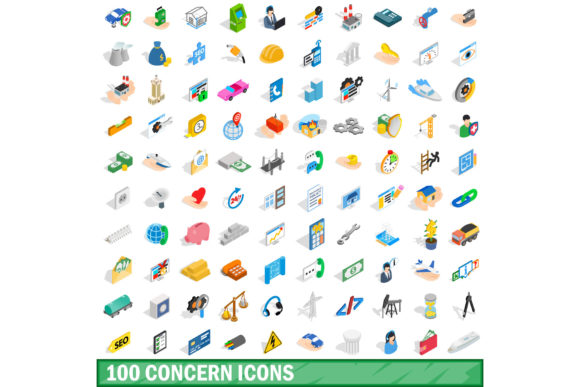
In the modern digital landscape, visual communication is not just an aesthetic choice; it is a functional necessity. Whether you are designing a user interface for a mental health application, creating an educational infographic about social issues, or developing a dashboard for risk management, clarity is paramount. When text fails to convey nuance quickly, icons step in to bridge the gap. This is where the 100 Concern Icons Set becomes an indispensable asset for designers and developers. By providing a comprehensive library of symbols representing various human concerns, this collection allows creators to articulate complex emotional and societal topics with precision and empathy.
Understanding the Need for Specialized Iconography
Standard icon libraries often focus on generic actions like "home," "search," or "settings." While useful, these do not address the nuanced needs of projects dealing with sensitive or specific themes. A project focused on anxiety, financial stress, environmental worries, or community safety requires a different visual language. The challenge lies in finding visuals that are universally understood yet respectful of the gravity associated with "concerns."
This is where the distinction between generic and specialized icon sets matters. The 100 Concern Icons Set is curated specifically to address this gap. It moves beyond simple metaphors to offer a structured vocabulary of worry, attention, and care. For professionals in UX/UI design, marketing, and content creation, having access to such a targeted resource saves hours of brainstorming and sketching, allowing them to focus on strategy and user experience rather than reinventing the wheel.
The Power of Isometric 3D Style in Design
One of the standout features of this particular collection is its presentation in an isometric 3D style. Unlike flat, two-dimensional icons which can sometimes feel sterile or abstract, isometric illustrations add depth, volume, and a sense of tangibility. This style has gained significant popularity in recent years because it feels modern, engaging, and slightly playful without undermining the seriousness of the subject matter.
When users interact with a 3D isometric icon, their brains process it differently than they would a flat symbol. The added dimension creates a focal point that draws the eye naturally. For instance, an icon representing "data privacy concern" might feature a shield with a subtle lock mechanism rendered in 3D space. This visual weight makes the concept feel more solid and important. The 100 Concern Icons Set leverages this psychological effect to ensure that the message is not only seen but felt.
Practical Applications Across Industries
The versatility of the 100 Concern Icons Set makes it applicable across a wide range of industries. Here is how different sectors can leverage this resource to improve their outcomes:
- Healthcare and Wellness Apps: Mental health platforms need to depict emotions and states of being accurately. Icons representing stress, sleep disturbances, or social isolation help users identify their symptoms quickly. The 3D style adds a layer of approachability, reducing the stigma often associated with seeking help.
- Corporate Risk Management: Business dashboards often display data related to operational risks. Using a dedicated set of concern icons allows managers to highlight critical alerts—such as supply chain disruptions or compliance issues—in a way that is visually distinct from routine notifications.
- Educational Materials: Teachers and instructional designers use these icons to simplify complex texts. In lessons regarding civic responsibility or environmental awareness, clear visual cues help students grasp key concepts faster, especially for younger audiences or those learning in a second language.
- Marketing and Advertising: Brands addressing social responsibility or customer care initiatives can use these icons to signal empathy. A campaign focused on customer support might use icons representing "listening," "feedback," and "resolution" to build trust and transparency.
Technical Flexibility and Implementation
For a design asset to be truly useful, it must integrate seamlessly into existing workflows. The 100 Concern Icons Set is designed with technical flexibility in mind, offering files in multiple formats to suit different stages of the design process. Understanding which format to use when is crucial for maintaining quality and efficiency.
Vector Formats (EPS, AI): These are essential for the initial design phase. If you are using Adobe Illustrator or similar vector software, starting with EPS or AI files ensures that your icons remain crisp at any scale. You can recolor them to match your brand palette, adjust line weights, or modify shapes to fit specific layout constraints without losing resolution. This is particularly important for the isometric style, where precise geometric alignment is key to maintaining the 3D illusion.
Raster Formats (PNG, JPG): Once the design is finalized, PNG and JPG files are ideal for web deployment and digital presentations. PNG files support transparency, allowing the icons to sit cleanly over any background color or image. This is vital for web interfaces where hover effects or layered backgrounds are common. JPG files, while smaller in size, are suitable for high-resolution print materials or presentations where transparency is not required.
Source Files (PSD): For designers who prefer working in Photoshop, PSD files provide layer-based editing capabilities. This allows for advanced compositing, shadow adjustments, and lighting effects. If you need to customize the shading on an isometric object to match a specific lighting environment in your design, the PSD source files give you that granular control.
Best Practices for Using Concern Icons
While the 100 Concern Icons Set provides excellent raw material, effective implementation requires thoughtful design choices. Here are some recommendations to ensure your visuals communicate effectively:
- Maintain Consistency: Ensure that all icons in your set share the same visual weight, color scheme, and perspective. Mixing different styles can create cognitive dissonance for the user.
- Contextualize with Text: Icons should rarely stand alone. Always pair them with clear labels or tooltips. For example, an icon of a worried face should be accompanied by text like "User Anxiety Level" to provide immediate context.
- Consider Accessibility: When using colored 3D icons, ensure there is sufficient contrast against the background. Additionally, include alt-text for digital assets so that screen readers can describe the icon to visually impaired users.
- Use Sparingly: Overloading a page with icons can lead to visual clutter. Use the 100 Concern Icons Set to highlight key points rather than replacing all textual content. Let the icons serve as anchors for information, not the entire narrative.
Conclusion: Enhancing User Experience Through Empathy
Design is ultimately about solving problems and connecting with people. The 100 Concern Icons Set offers more than just decorative elements; it provides a toolkit for empathetic communication. By choosing a specialized set of icons that reflect real-world concerns, designers can create interfaces and materials that resonate on a deeper level with their audience.
Whether you are building a app for stress management, a report on corporate ethics, or a website for non-profit advocacy, the right visual language can make all the difference. With its comprehensive range of symbols, versatile file formats, and engaging isometric 3D style, this icon set empowers creators to tackle difficult topics with clarity and confidence. Investing in high-quality, relevant iconography is an investment in better user experience, ensuring that your message is not only delivered but understood.