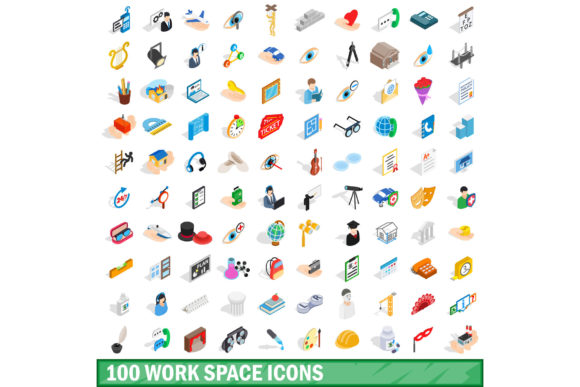
100 Work Space Icons Set: Elevate Your Design Projects
In the modern digital landscape, visual communication is no longer just an aesthetic choice; it is a functional necessity. Whether you are building a corporate intranet, designing a mobile application for remote teams, or creating educational materials for hybrid learning environments, the ability to convey complex ideas quickly and clearly is paramount. This is where the 100 Work Space Icons Set becomes an indispensable asset for designers, developers, and content creators alike. By offering a comprehensive collection of 100 meticulously crafted icons in both standard and isometric 3D styles, this set bridges the gap between minimalist clarity and engaging depth.
Understanding the Collection
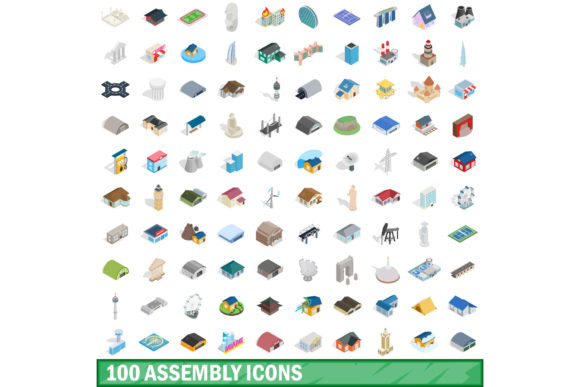
The 100 Work Space Icons Set is designed to cover the vast spectrum of activities associated with professional environments. It is not merely a random assortment of office supplies but a curated library that reflects the realities of contemporary work. From traditional elements like desks, chairs, and filing cabinets to modern digital concepts such as cloud storage, video conferencing, and cybersecurity, each icon serves a specific communicative purpose.
What truly distinguishes this set is its dual-format approach. Users can choose from flat, clean vector designs that prioritize readability at small sizes, or opt for the isometric 3D style which adds dimensionality and visual interest. This versatility allows for mixed-media designs where hierarchy can be established through perspective rather than just color or size. The inclusion of multiple file formats—JPG, EPS, AI, PSD, and PNG—ensures compatibility across a wide range of software ecosystems, from Adobe Illustrator and Photoshop to web development frameworks and presentation tools.
Key Characteristics and Strengths
When evaluating design assets, consistency is king. A disjointed icon set can undermine the professionalism of a brand. The 100 Work Space Icons Set excels in maintaining a cohesive visual language throughout its collection. Each icon shares consistent line weights, corner radii, and shading techniques (in the 3D variants), ensuring that they look harmonious when grouped together on a dashboard or infographic.
- Scalability: Being vector-based in EPS and AI formats, these icons can be scaled to any resolution without losing quality. This is critical for responsive web design where icons must render sharply on everything from mobile screens to large 4K monitors.
- Isometric Precision: The 3D isometric icons adhere to strict geometric rules, providing a sense of realism and structure. This style is particularly effective for illustrating processes, workflows, and spatial relationships.
- Comprehensive Coverage: With 100 unique assets, the set covers niche scenarios often overlooked by generic icon packs, such as ergonomic equipment, specific software interfaces, and collaborative meeting dynamics.
Practical Applications Across Industries
The utility of the 100 Work Space Icons Set extends far beyond simple decoration. Its applications are diverse, impacting how information is consumed and understood across various sectors.
Digital Product Design
For UI/UX designers, clear navigation is essential. Using these icons in user interfaces helps users intuitively understand features. For instance, a "remote work" mode in a project management tool can be instantly recognized by an icon depicting a laptop and a coffee cup. The isometric versions can be used for hero sections or onboarding screens to create a welcoming and detailed first impression.
Corporate Presentations and Reports
Business professionals often struggle to make data-driven presentations visually engaging. Replacing bullet points with relevant icons from this set can break up text-heavy slides and guide the audience’s attention. An annual report discussing hybrid work policies might use icons to represent office attendance, remote collaboration hours, and communication metrics, making the data more digestible and memorable.
Educational Materials
Educators and instructional designers benefit significantly from visual aids. When teaching concepts related to workplace safety, organizational structures, or time management, icons serve as universal symbols that transcend language barriers. The 100 Work Space Icons Set provides the necessary vocabulary to illustrate these concepts clearly in e-learning modules, handbooks, and training videos.
Marketing and Branding
Freelancers and marketing agencies use these icons to create custom infographics, social media graphics, and blog illustrations. Consistent branding requires consistent imagery. By using a unified set, brands ensure that their visual identity remains strong across all touchpoints. The high-resolution PNG files are ready for immediate use in digital campaigns, while the editable AI files allow for color customization to match specific brand palettes.
Benefits for Efficiency and User Experience
Integrating a high-quality icon set into your workflow offers tangible benefits in terms of efficiency and productivity. First, it reduces the time spent searching for suitable visuals. Instead of commissioning custom illustrations or spending hours tweaking generic clip art, designers can drag and drop pre-made, professionally styled icons. This acceleration of the design process allows for faster iteration and quicker time-to-market for products and content.
Furthermore, good iconography enhances user experience (UX). Humans process images 60,000 times faster than text. By leveraging the 100 Work Space Icons Set, designers can communicate complex workflows or feature sets instantly. For example, in a SaaS platform, a cluster of icons representing "analytics," "sharing," and "settings" allows users to navigate the interface with minimal cognitive load, leading to higher satisfaction and retention rates.
Considerations for Implementation
While the 100 Work Space Icons Set is robust, successful implementation requires thoughtful consideration. Designers should avoid overusing icons, which can clutter the interface and confuse users. Each icon should have a clear purpose and label, especially if the meaning is not immediately obvious. Additionally, accessibility should remain a priority. Ensure that icons are accompanied by alt text for screen readers and that color contrasts meet WCAG guidelines.
When choosing between the flat and isometric styles, consider the context of the design. Flat icons are generally better for dense information displays, such as dashboards, where clarity is paramount. Isometric icons are more impactful for storytelling and highlighting key features, such as in landing pages or promotional materials. Mixing both styles can be effective if done with careful attention to visual balance and spacing.
Conclusion
The 100 Work Space Icons Set represents a significant value proposition for anyone involved in visual communication within professional contexts. Its combination of breadth, quality, and format flexibility makes it a versatile tool for enhancing design projects. By adopting these icons, professionals can improve the clarity, engagement, and overall polish of their work, ultimately fostering better communication and stronger connections with their audiences.