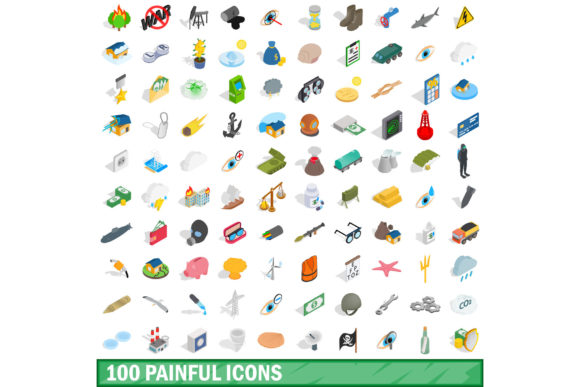
100 Painful Icons Set
In the visual language of digital communication, pain is rarely depicted with literal gore or graphic distress. Instead, it is conveyed through subtle cues: a grimace, a hand clutching a head, a thermometer indicating fever, or a stylized representation of a headache. For designers, developers, and content creators, accurately representing these human experiences is crucial for user experience (UX), medical applications, wellness apps, and educational materials. The 100 Painful Icons Set addresses this need by offering a comprehensive collection designed to communicate discomfort, injury, and health-related stressors with clarity and professionalism.
This set is not merely a library of images; it is a functional toolkit built for modern workflows. By providing assets in versatile formats such as JPG, EPS, AI, PSD, and PNG, the collection ensures that whether you are working on a high-resolution print brochure, a responsive web interface, or a mobile application, you have the right file type to maintain quality and flexibility. The inclusion of both standard vector files and raster options allows for seamless integration into diverse design ecosystems, from Adobe Creative Cloud suites to Figma and Sketch.
The Evolution of Visualizing Discomfort
Historically, iconography focused heavily on positive or neutral actions—thumbs up, search glasses, shopping carts. However, as digital platforms have expanded into healthcare, mental wellness, and employee benefits, the demand for icons representing negative or challenging states has grown significantly. Users expect interfaces that can empathize with their struggles, whether they are tracking chronic pain, logging symptoms in a health journal, or navigating customer service issues related to product failures.
The 100 Painful Icons Set reflects this shift toward more nuanced emotional intelligence in design. It moves beyond simple "sad face" emojis to offer specific representations of physical ailments. A migraine icon differs distinctly from a toothache icon, which in turn is visually distinct from a back strain indicator. This specificity reduces cognitive load for users. When a patient selects an icon to describe their symptom, precise visual language prevents miscommunication. Similarly, in corporate training modules, clear icons help illustrate workplace hazards or ergonomic injuries without requiring lengthy textual explanations.
Why Isometric 3D Style Matters
A standout feature of this particular collection is the availability of icons in an isometric 3D style. While flat design has dominated the tech industry for over a decade, there is a noticeable resurgence in depth and dimensionality. Isometric illustrations offer a unique advantage: they provide a sense of volume and context without the complexity of full photorealism. This style is particularly effective for medical and anatomical concepts because it allows designers to show spatial relationships—such as how a joint connects or where pressure is applied—more intuitively than a flat silhouette.
For professionals creating dashboards for fitness trackers or rehabilitation apps, the 3D aesthetic adds a layer of sophistication and engagement. It transforms dry data visualization into an immersive experience. The 100 painful icons set in isometric 3d style for any design vector illustration leverages this trend by providing assets that feel tactile and grounded. These icons do not just sit on the screen; they appear to occupy space, making them ideal for landing pages, app onboarding screens, and detailed infographics where visual hierarchy is paramount.
Practical Applications Across Industries
The versatility of this icon set extends across multiple sectors, each with its own specific requirements for visual communication. Understanding these applications helps creators maximize the value of the assets.
- Healthcare and Telemedicine: In remote consultations, patients often use self-reporting tools to describe their condition before speaking with a doctor. Icons for headaches, nausea, joint pain, and fatigue allow for quick, standardized input. The availability of AI and EPS files ensures that healthcare providers can customize these icons to match their brand’s color palette and accessibility standards, such as high-contrast modes for visually impaired users.
- Human Resources and Workplace Safety: Companies are increasingly prioritizing employee well-being. Internal portals that track sick leave, ergonomic assessments, or mental health days benefit from clear, non-stigmatizing iconography. An isometric icon of a person holding their lower back, for example, communicates physical strain in a professional manner suitable for corporate environments. These visuals support transparent communication about workplace injuries and preventive measures.
- Fitness and Wellness Apps: Modern fitness tracking goes beyond steps and calories. It includes recovery metrics, sleep quality, and pain management. Designers building these interfaces need icons that represent muscle soreness, injury prevention, and rest periods. The PNG and JPG formats are perfect for quick prototyping and deployment in mobile apps, while the vector formats allow for scaling across different device resolutions without pixelation.
- Educational Materials: For educators teaching biology, anatomy, or first aid, visual aids are essential. The 100 Painful Icons Set provides a consistent visual vocabulary that students can learn quickly. Whether illustrating a textbook chapter on the nervous system or creating a slide deck on stress management, these icons break down complex physiological responses into digestible visual chunks.
Technical Advantages and Workflow Integration
One of the most significant hurdles in design projects is asset management. Finding a set of icons that matches your existing style guide and can be easily edited is time-consuming. The 100 Painful Icons Set mitigates this by offering native editable formats like AI (Adobe Illustrator) and PSD (Photoshop). This means designers are not locked into static images. They can adjust stroke weights, change colors to fit accessibility guidelines, or modify shapes to better suit a specific layout.
The inclusion of EPS files further enhances compatibility, allowing users of other vector software packages to import and manipulate the graphics seamlessly. For teams working in collaborative environments, having a unified set of source files ensures consistency. If a brand updates its primary color from blue to teal, updating the master AI file propagates the change across all linked assets, saving hours of manual editing.
Furthermore, the variety of formats supports different stages of the design process. During the ideation phase, low-resolution JPGs or PNGs can be used for rapid wireframing. As the project moves into development, the high-fidelity SVG-ready vectors ensure crisp rendering on all screens. This end-to-end support makes the set a practical investment for agencies and freelance designers who juggle multiple client needs.
Addressing Accessibility and Inclusivity
Modern design standards require that visual content be accessible to everyone. Icons play a critical role in this, serving as universal symbols that transcend language barriers. However, they must be designed with clarity in mind. The 100 Painful Icons Set is structured to support this goal. By using clear, recognizable shapes, the icons remain legible even at small sizes or when viewed by individuals with color vision deficiencies.
Designers can enhance accessibility by pairing these icons with appropriate alt text and ensuring sufficient contrast ratios. The vector nature of the AI and EPS files allows for easy adjustment of line thickness and fill areas, enabling creators to optimize the icons for screen readers and assistive technologies. This attention to detail aligns with Web Content Accessibility Guidelines (WCAG), ensuring that digital products are inclusive and compliant.
Future-Proofing Your Design Assets
As technology evolves, so do user expectations. Augmented reality (AR) and virtual reality (VR) are beginning to integrate more deeply into consumer experiences, including healthcare and education. In these immersive environments, 3D assets are no longer optional—they are fundamental. The isometric 3D style of this icon set positions it well for future adoption in AR/VR applications. Designers can use these models as starting points for more complex 3D interactions, such as rotating a model of a spine to demonstrate posture correction.
Moreover, the trend toward personalized user experiences means that static images are being replaced by dynamic, interactive elements. The modular structure of vector icons allows for animation and interactivity. A pain intensity slider, for instance, could use icons that change shape or color as the user adjusts the level of discomfort. This interactivity engages users more effectively than static graphics, leading to higher retention and better data accuracy.
Conclusion for Creators and Businesses
The 100 Painful Icons Set is more than a decorative element; it is a strategic tool for effective communication. By providing a wide range of expressions of pain and discomfort in both 2D and isometric 3D styles, it empowers designers to create more empathetic, informative, and engaging digital experiences. Whether you are building a health app, updating a corporate intranet, or designing educational content, this set offers the flexibility, quality, and relevance needed to meet current market demands.
Investing in a comprehensive icon library pays dividends in reduced production time and improved user satisfaction. With support for major formats like JPG, EPS, AI, PSD, and PNG, the set integrates effortlessly into any workflow. As we continue to navigate a world where digital interaction is central to health and well-being, having the right visual vocabulary is essential. This collection provides that vocabulary, ensuring that your designs speak clearly, compassionately, and professionally to your audience.