Evaluating the 100 Marketing Icons Set for Professional Design Projects
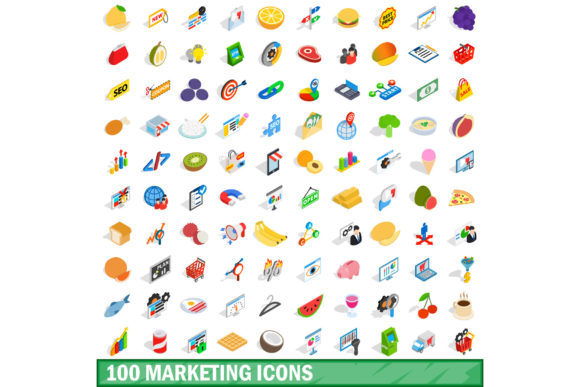
In the landscape of digital design, visual assets are not merely decorative; they are functional tools that communicate complex ideas instantly. Among these assets, iconography plays a pivotal role in user interface (UI) design, marketing collateral, and data visualization. For designers seeking a comprehensive library to streamline their workflow, the 100 Marketing Icons Set has emerged as a significant resource. This collection is distinct not only for its volume but also for its stylistic versatility, offering both standard vector representations and an isometric 3D style variant. Understanding the nuances of this set, its file formats, and its practical applications is essential for making an informed decision about whether it fits your specific project requirements.
Defining the Scope: What Makes This Set Distinct?
At first glance, a "marketing icons set" might seem like a generic category. However, the 100 Marketing Icons Set distinguishes itself through a deliberate focus on dual-format availability within a single purchase or download package. Most icon libraries force designers to choose between flat, minimalist aesthetics or more complex, dimensional styles. This set bridges that gap by providing two complete variations:
- Standard Vector Icons: Clean, scalable, and suitable for modern UI/UX interfaces where clarity and speed of recognition are paramount.
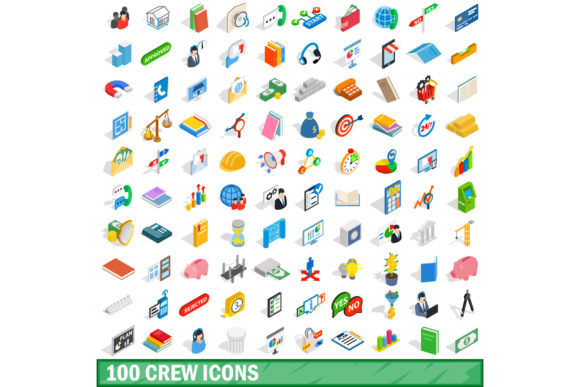
- Isometric 3D Style Icons: A trending aesthetic that adds depth and visual interest, ideal for landing pages, presentations, and editorial illustrations where engagement is key.
The inclusion of exactly 100 icons allows for a curated experience rather than an overwhelming flood of irrelevant graphics. These 100 assets are carefully selected to cover the core pillars of marketing: social media engagement, email campaigns, analytics, advertising channels, customer relationship management (CRM), and content distribution. By limiting the count, the creators ensure consistency in line weight, perspective, and visual hierarchy across the entire set.
Technical Specifications and File Format Analysis
One of the most critical factors in evaluating any design asset is its technical flexibility. The 100 Marketing Icons Set offers a robust range of formats designed to accommodate various stages of the design process. Understanding these formats helps determine if the set aligns with your existing software ecosystem.
Vector Formats: EPS, AI, and PSD
For professional graphic designers working in Adobe Illustrator or Photoshop, the availability of EPS, AI, and PSD files is crucial.
- AI (Adobe Illustrator): This is the native format for vector editing. It allows designers to modify paths, change colors, and adjust bezier curves without losing quality. If you need to customize an icon to match a brand’s specific color palette or geometric style, the AI file is indispensable.
- EPS (Encapsulated PostScript): A widely supported vector format compatible with many desktop publishing applications, including InDesign and CorelDRAW. It ensures that the icons remain crisp when placed into large-scale print materials such as brochures, business cards, or billboards.
- PSD (Photoshop Document): Particularly relevant for the isometric 3D variants. The PSD files likely contain layered smart objects, allowing for non-destructive editing of shadows, highlights, and textures. This is vital for integrating 3D-looking icons seamlessly into flat designs.
Raster Formats: JPG and PNG
While vectors are preferred for scalability, raster formats are often necessary for quick implementation in web development or non-design software.
- PNG (Portable Network Graphics): Essential for web use due to its support for transparency. When placing an isometric icon over a busy background, the transparent background of a PNG ensures no awkward white boxes surround the graphic.
- JPG (Joint Photographic Experts Group): Useful for final previews or embedding in documents where file size optimization is prioritized over transparency. However, for precise design work, PNG remains the superior choice.
Comparative Evaluation: Isometric vs. Flat Styles
A common dilemma for designers is choosing between flat and isometric styles. The 100 Marketing Icons Set solves this by providing both, but understanding when to use each is part of the evaluation process.
Flat Design Advantages: Flat icons are timeless, lightweight, and accessible. They load faster on websites and are easier to read at small sizes (such as in mobile navigation bars). If your project focuses on minimalism, accessibility compliance (WCAG), or rapid user interaction, the flat vector variants within the set are the optimal choice.
Isometric 3D Advantages: Isometric illustrations create a sense of space and realism without the computational cost of full 3D rendering. They are highly effective in hero sections of websites, infographic headers, and pitch decks where you need to capture attention immediately. The 100 Marketing Icons Set's isometric options provide a cohesive look that mimics high-end custom illustration, saving designers hundreds of hours compared to modeling each icon from scratch.
Tradeoffs and Limitations
No asset is perfect, and a balanced review must address potential limitations. When considering the 100 Marketing Icons Set, several tradeoffs should be weighed against your needs.
Quantity vs. Specificity
With only 100 icons, the set covers broad categories well but may lack niche specificity. For example, while it will include general icons for "email," "social media," and "analytics," it might not include highly specific icons for emerging marketing technologies or hyper-niche industries. If your project requires 500+ unique icons covering every conceivable marketing sub-sector, this set may serve as a foundation but not a complete solution.
Customization Complexity
While the AI and PSD files allow for customization, isometric 3D icons are inherently more complex to edit than flat vectors. Changing the angle of perspective or adjusting the lighting on a 3D model requires advanced skills in Illustrator or Photoshop. Users who are comfortable with basic shape manipulation may find the flat vectors easy to adapt, whereas modifying the 3D variants could be time-consuming and technically challenging.
Style Consistency Across Variants
Although the set aims for cohesion, transitioning between flat and isometric icons within the same document can sometimes feel disjointed if not handled carefully. Designers must ensure that color palettes and stroke weights are harmonized manually when mixing styles, as the automatic consistency provided within each individual style group may not translate perfectly across the two distinct visual languages.
Decision Framework: When to Choose This Set
To determine if the 100 Marketing Icons Set is the right resource for you, consider the following scenarios:
- You Need Versatility: If your agency handles diverse clients, some requiring clean corporate interfaces and others needing vibrant, illustrative marketing materials, having both flat and 3D options in one package provides immense value.
- You Prioritize Editability: If your workflow involves frequent rebranding or color adjustments, the inclusion of editable AI, EPS, and PSD files ensures you are not locked into static images.
- You Are Building a Cohesive Brand Identity: The curated nature of the 100 icons ensures that all your marketing visuals share a unified language, reducing the cognitive load on your audience.
- You Lack Time for Custom Illustration: Creating high-quality isometric marketing icons from scratch can take days per icon. This set offers a shortcut to professional-grade visuals, allowing you to focus on strategy rather than pixel-pushing.
Conversely, you might look elsewhere if you require a massive library of thousands of icons, if your project demands hand-drawn or sketch-style aesthetics, or if you do not have the software proficiency to utilize vector files effectively.
Practical Application Examples
Consider a startup launching a new SaaS product. Their marketing team needs a website, a pitch deck, and social media ads. Using the 100 Marketing Icons Set, they can employ the flat vectors for the app’s dashboard UI to ensure usability. Simultaneously, they can use the isometric 3D icons for the website’s landing page hero section to create a visually striking introduction. The consistent branding is maintained through a shared color palette applied via the editable AI files, demonstrating how the set supports a multi-channel marketing strategy efficiently.
Conclusion on Utility
The 100 Marketing Icons Set stands out as a pragmatic tool for designers who value efficiency, variety, and technical control. By offering both flat and isometric 3D styles in industry-standard formats, it addresses multiple design needs within a single acquisition. While it may not replace specialized libraries for niche requirements, its strength lies in its ability to provide a reliable, customizable, and aesthetically pleasing foundation for general marketing and digital design projects. For professionals seeking to balance creative expression with production speed, this set represents a solid investment.